 AgentGlim
Every coding agent, one glance.
AgentGlim shows what your AI coding agents are doing, what they cost, and what is waiting on you. It is open source and runs on your machine.
Free and open source (Apache-2.0). Needs Node 22 or newer. No npm dependencies.
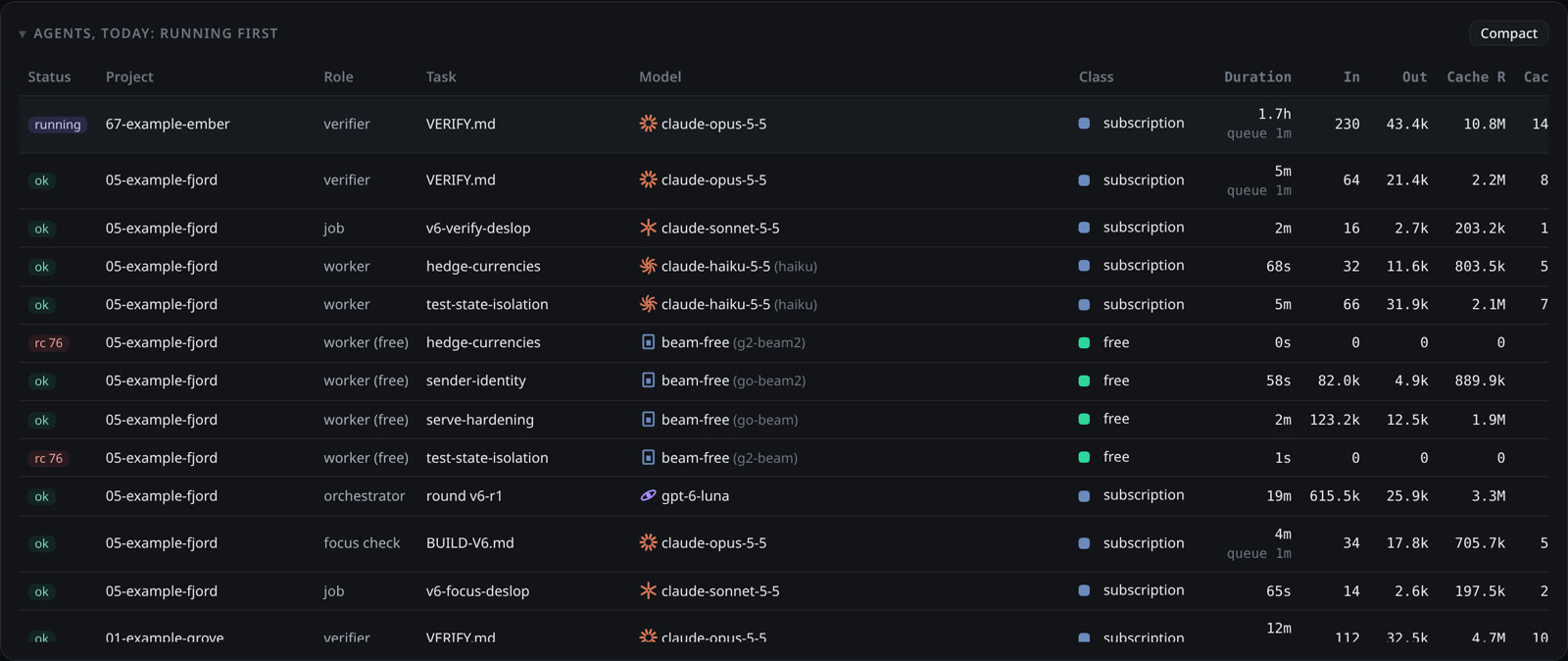
Every agent on one page.
Claude Code, Codex, Pi and OpenCode report into one table. You see who is running, which model each one uses, and what the run cost.
- Tokens in and out, cache reads, and run time for every job.
- Subscription, free and paid runs are marked, so cost is never a guess.
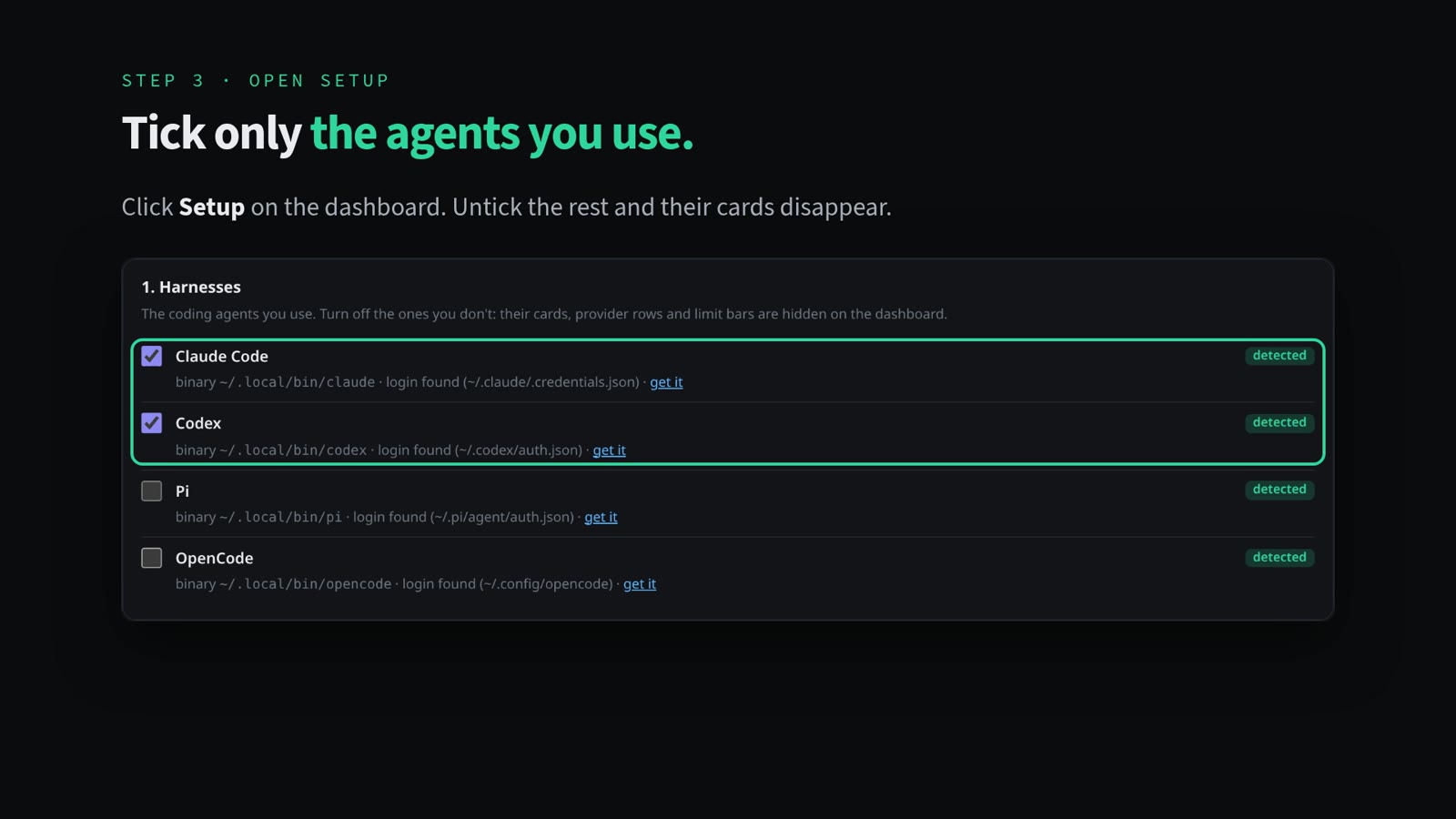
- Turn off the agents you do not use and their cards disappear.
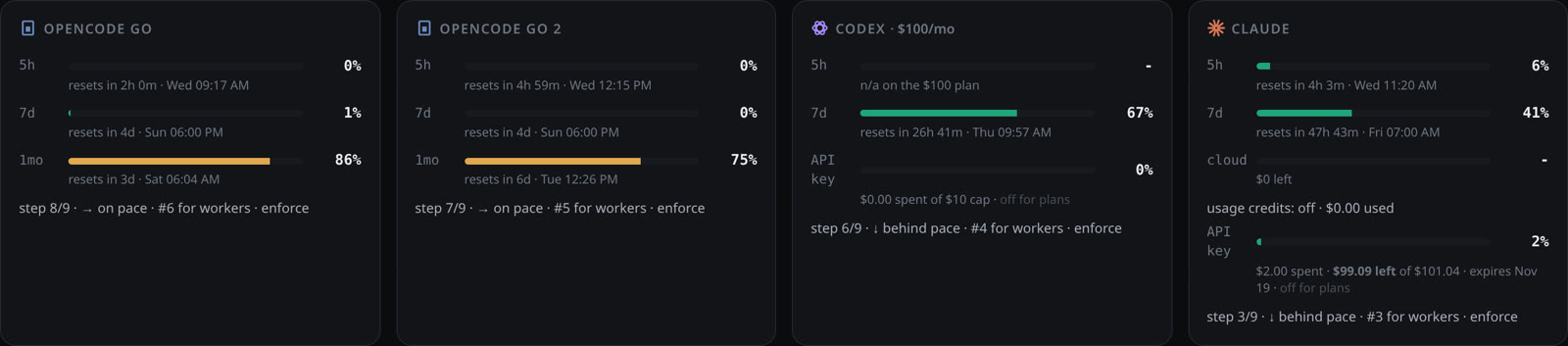
See your limits before you hit them.
Sample readings from the demo dashboard, in percent used.
AgentGlim reads your plan usage for the 5-hour and weekly windows. Then you set your own caps.
- Gates per model for the 5-hour and 7-day windows.
- A weekly cap per provider, and a dollar stop for API spend.
- Modes and speed per provider: normal, max, stopped or only.
Jev picks the model for each job.
- Claude Opus100%
The session that runs the show.
- Claude Opus19%12
- Claude Sonnet24%15
- Codex Sol16%10
- Codex Terra16%10
- Free models8%5
- Other16%10
62 Jev picks, Nov 6 to 11. Other: local Qwen 4, Haiku 3, DeepSeek 2, Fable 1. It picks the effort too: high 35, medium 18, low 6, xhigh 3.
- Claude Opus49%21
- Codex Sol49%21
- Claude Sonnet2%1
43 audit runs, Nov 10 to 11.
Real picks from the setup that builds AgentGlim. Your mix will differ.
The SuperAgent that runs the show is Claude Opus. For each worker job, Jev, the model router, picks the model and the effort. Audits go to your strongest models.
You still set the provider order per role. Free and local runs cost $0, and a weekly price check keeps the cost numbers current.
8 free API sources you can track
- OpenRouter
- OpenCode Zen
- Groq
- Cloudflare Workers AI
- Google AI Studio
- Cerebras
- Mistral
- GitHub Models
Plan, build, audit, complete. Nobody has to press go.
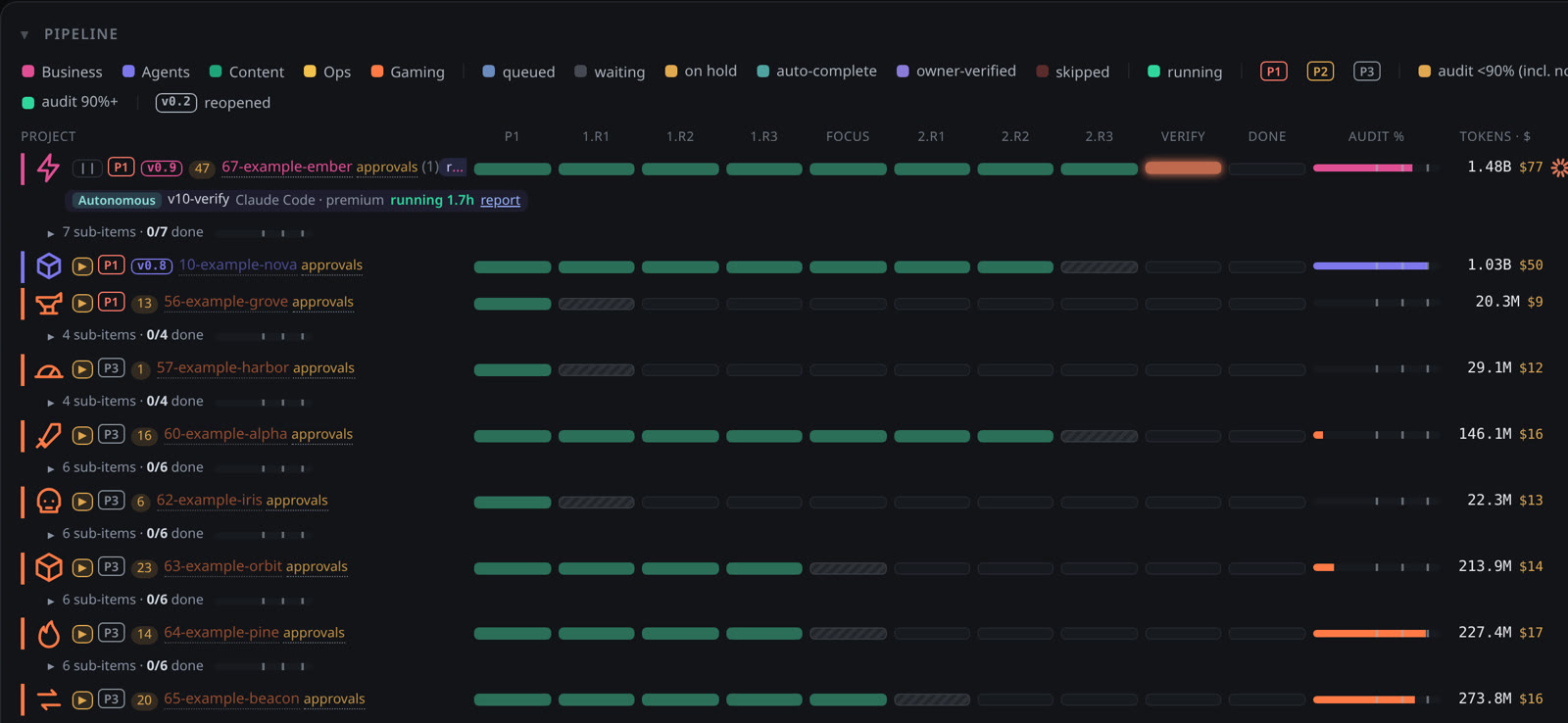
Each project moves through four stages on its own. AgentGlim shows every project as a row, with tokens and cost, so you can see what is building, being audited or done.
- Audit scores show how well a build passed its check.
- Projects that fail an audit are reopened and run again.
- Filter by priority, status or kind of work.
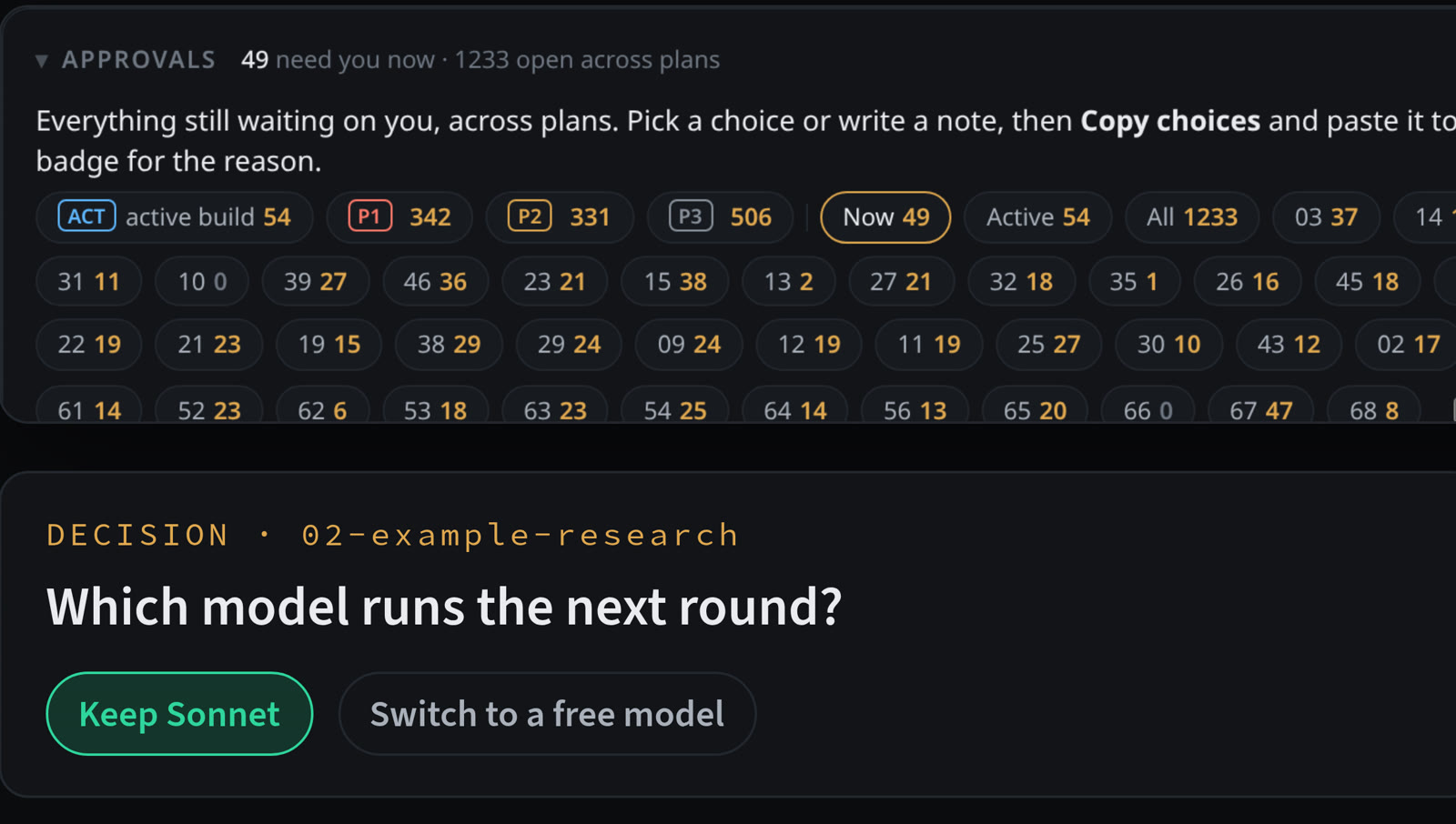
Decisions wait in one list.
Sample counts from the demo: 49 need you now out of 1,233 open.
When an agent needs you, it lands in Approvals. Pick a choice or write a note, copy it back to your agent, and mark it done.
- Open items are counted per project and sorted by priority.
- Every plan gets its own page with what is done and what is next.
- Answer once. The agents carry on.
Open source, and checked before every release.
From the repo's feature list and the test run on 2026-11-11.
The code is Apache-2.0. A privacy check catches home paths, names and keys before every commit, and a stricter leak scan runs on each release export.
- Agents supported4
- Free API sources8
- Setup sections6
- First-run tour steps53
- npm dependencies0
- Needs Node22+
Take the tour.
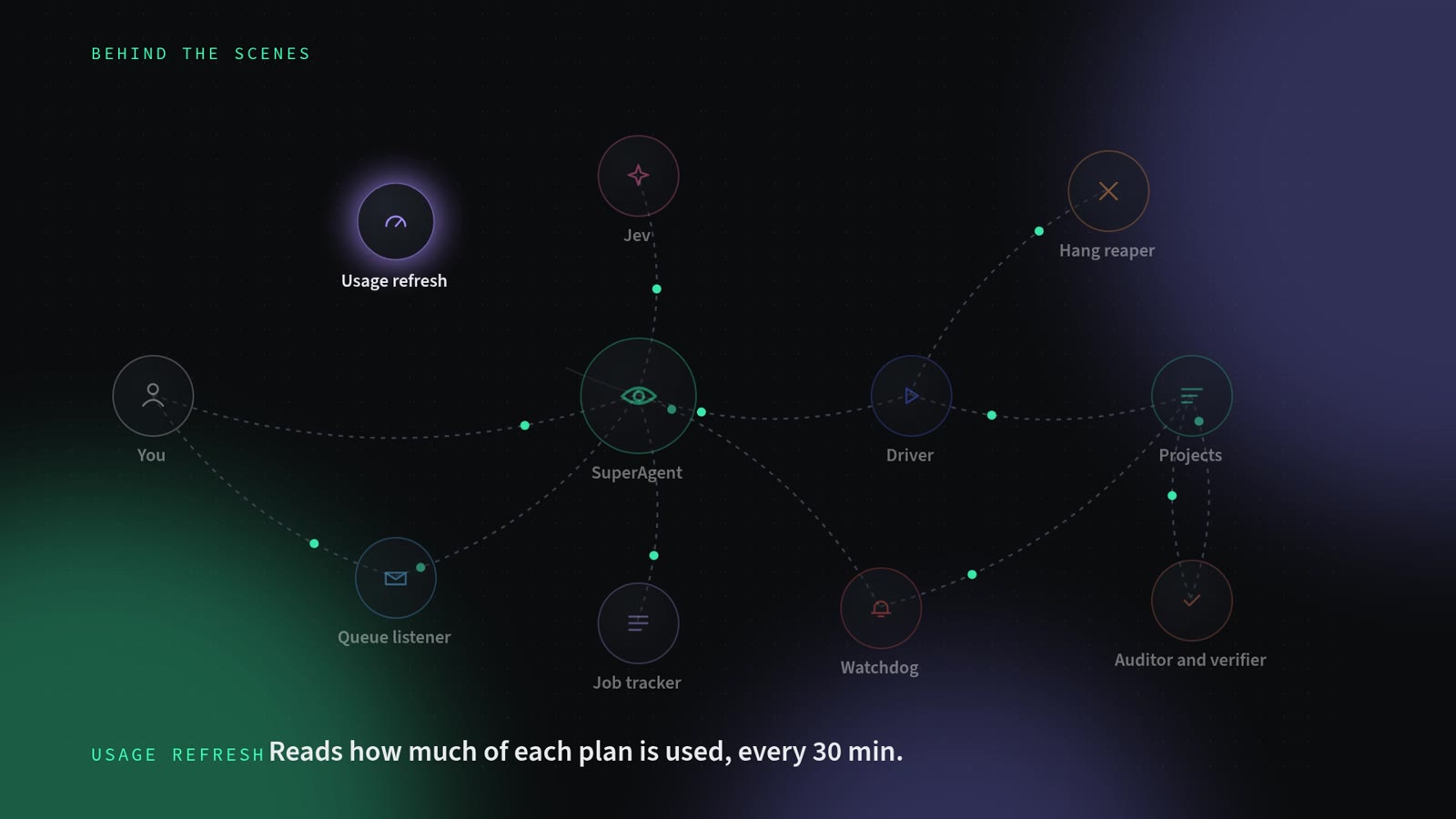
A walk through every panel, then a look at the background services that keep the fleet running.
Pipeline, active builds, approvals, status and savings, one stop at a time.
Setup instructions
The six sections of the Setup page. Each one shows what AgentGlim found on your machine.
Start the server, open Setup, and check the agents you use. Cards for the rest disappear.
Until you add data, each section shows a blank Set up card. That's fine.
Get AgentGlim.
git clone https://github.com/Fusilladin/agentglim.git
cd agentglim/app
node server.mjs
# then open http://127.0.0.1:18990
Needs Node 22+ and git.
brew install node git   # optional
git clone https://github.com/Fusilladin/agentglim.git
cd agentglim/app
node server.mjs
# then open http://127.0.0.1:18990
Needs Node 22+ and git. Homebrew installs both.
winget install OpenJS.NodeJS.LTS Git.Git   # optional
git clone https://github.com/Fusilladin/agentglim.git
cd agentglim\app
node server.mjs
# then open http://127.0.0.1:18990
Needs Node 22+ and git. Open a new PowerShell window after winget.
Then click Setup in the header and check the agents you use. Or tell your coding agent: "Set up AgentGlim for me."
Open source on GitHub
Read the code, file issues and follow releases. Your data stays in a private folder on your machine, ~/.agentglim.